
Swiss QR bills for Harvest
Harvie pulls your invoices from Harvest, attaches a Swiss QR payment slip, and exports the PDF. Or skip Harvest's PDF and design your own invoice in HTML.
What it does
Harvest integration
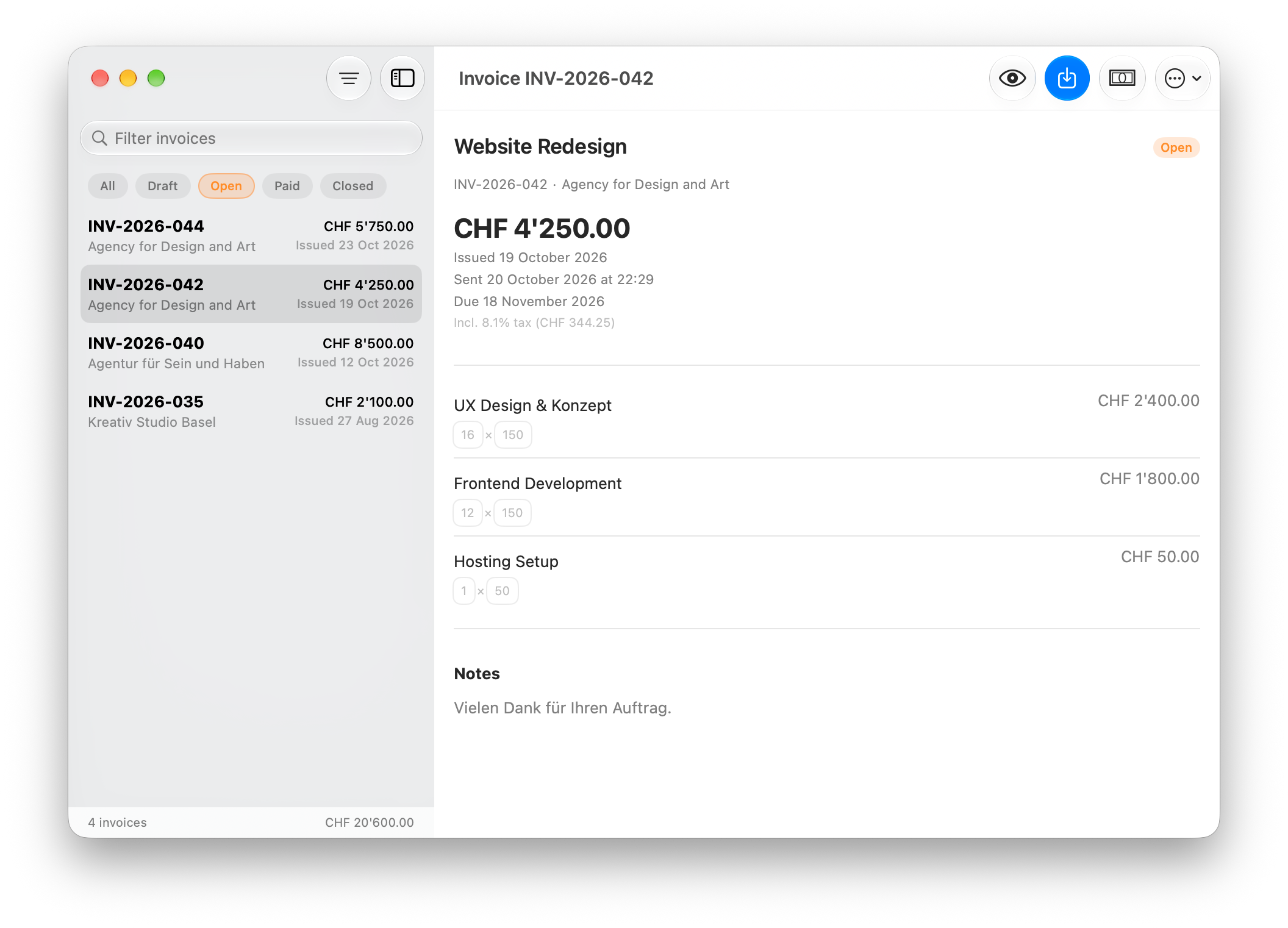
Log in with your Harvest API token and see all your invoices. Client details, amounts, and dates come straight from Harvest, and you can edit invoice data directly in the app before exporting.
Swiss QR codes
Each QR code contains the full payment data per Swiss Payment Standards. CHF and EUR, with SCOR creditor references (ISO 11649) generated from the invoice number.
PDF export
Appends the QR payment slip to your Harvest invoice PDF, or generates a new PDF from a custom HTML template. Either way, one file to send.
Custom templates
Write your invoice layout in HTML and CSS in your editor of choice. Template variables like {client_name} and {amount} get replaced with real data. Preview updates as you type.
Privacy
Harvie talks directly to the Harvest API. Your API token is stored in the macOS Keychain, and invoice data stays in the app's local database. The app does send anonymous usage stats, see the privacy policy.
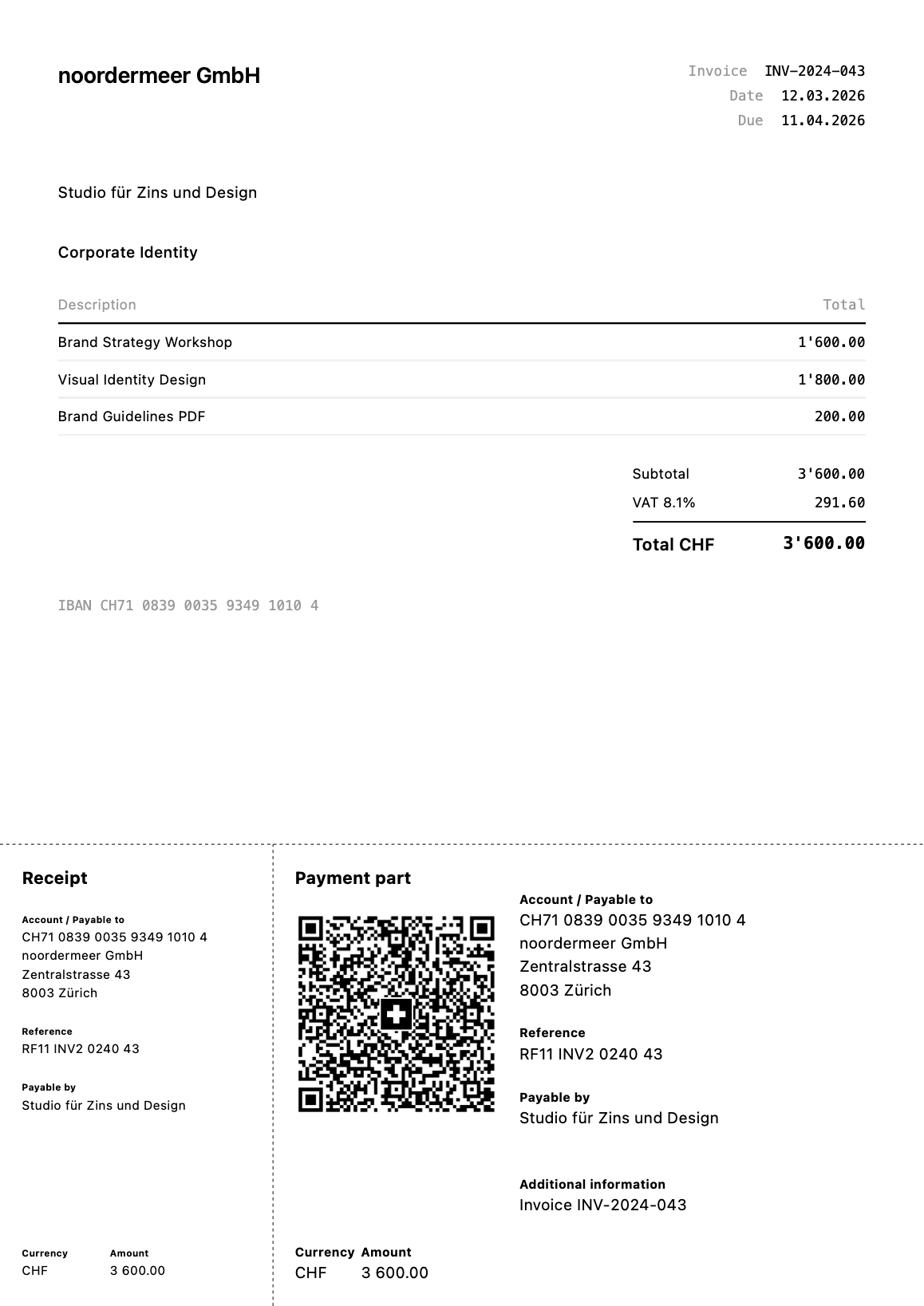
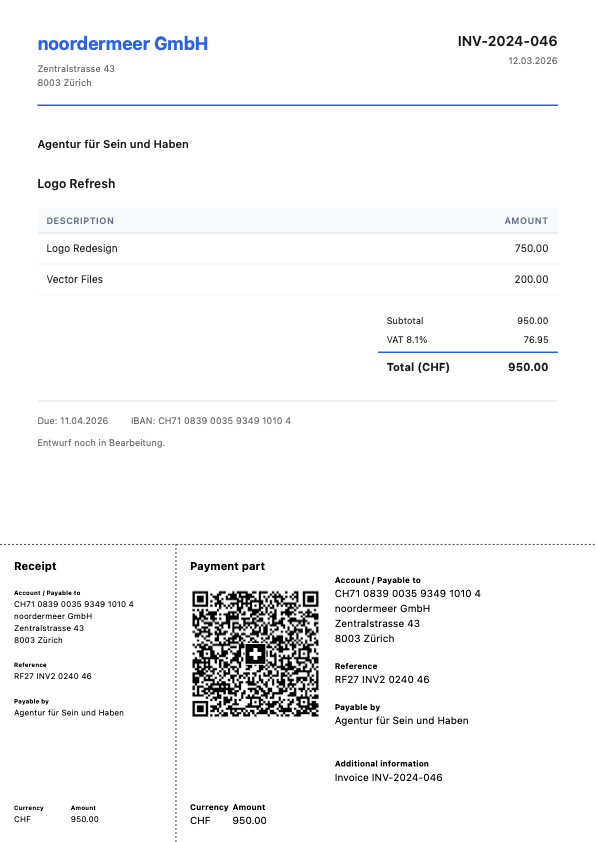
Two of the built-in templates, both yours to adjust, or build your own from scratch
Setup takes about a minute
Designing your custom template might take the rest of the day.

Connect Harvest
Paste your Harvest access token and account ID. Harvie saves them in your macOS Keychain.

Set your IBAN
Enter your IBAN and creditor address. Harvie derives the SCOR reference from each invoice.

Export, send & profit
Pick an invoice (or several), hit export, and you get a PDF with the QR payment slip attached.

Payment part
Get Harvie.
- Amount
- CHF 0.00
- Requires
- macOS 14+
- Version
- 0.9.0
Additional information
Harvie is a one-person project by Joris Noordermeer. I built it because I needed QR bills for my own Harvest invoices, and it seemed a shame to keep it to myself. Questions and feedback go to hello@harvie.app.